

Last Updated: June 2026
If you’ve been researching no-code app builders, you’ve probably come across Adalo.
Marketed as one of the easiest ways to build mobile apps without coding, Adalo promises to help entrepreneurs, startups, and businesses launch apps quickly—even if they have zero technical experience.
But is Adalo actually worth your time and money in 2026?
After analyzing Adalo’s features, pricing, ease of use, customer feedback, and overall performance, here’s our complete review.
Quick Verdict
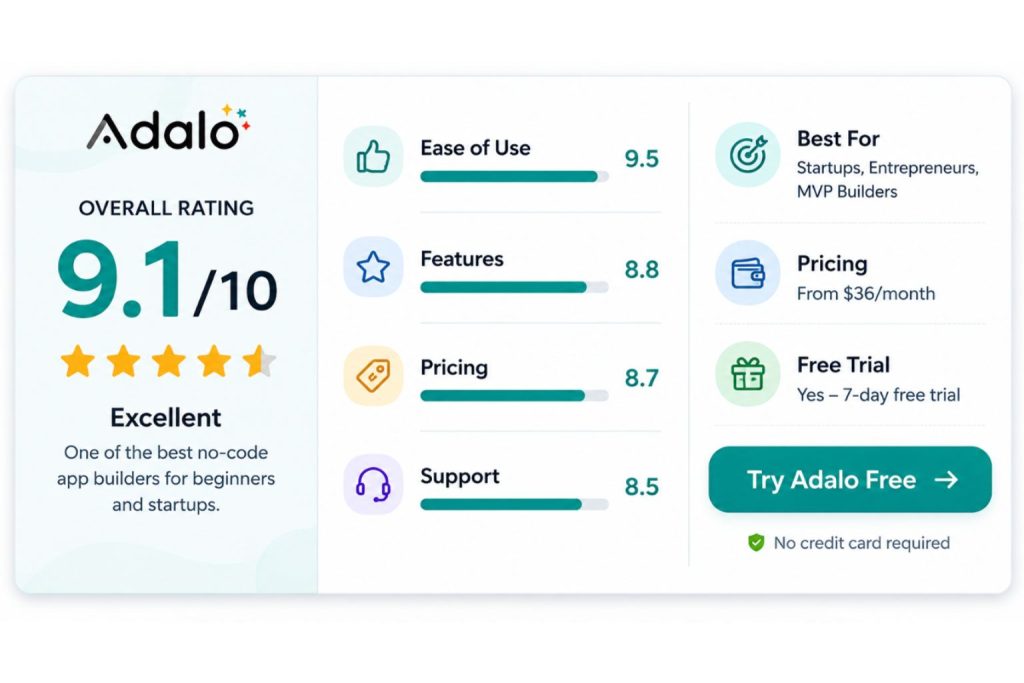
⭐ Overall Rating: 9.1/10
Adalo is best for entrepreneurs, startups, and non-technical founders who want to launch an MVP or mobile app fast without hiring developers.
While it may not be ideal for extremely complex applications, it remains one of the best beginner-friendly no-code platforms available today.
Bottom Line:
✅ Easy to learn
✅ Excellent for MVPs
✅ True native mobile apps
✅ Affordable pricing
❌ Limited for highly advanced applications
Pros and Cons
Pros
- Extremely beginner-friendly.
- True drag-and-drop app builder.
- Publish apps to both iOS and Android.
- Built-in database system.
- Large template marketplace.
- Fast MVP development.
- No coding skills required.
- Excellent community resources.
Cons
- Not ideal for very large-scale applications.
- Advanced customization is limited.
- Performance can slow down with complex apps.
- Fewer backend capabilities than Bubble.
What Is Adalo?
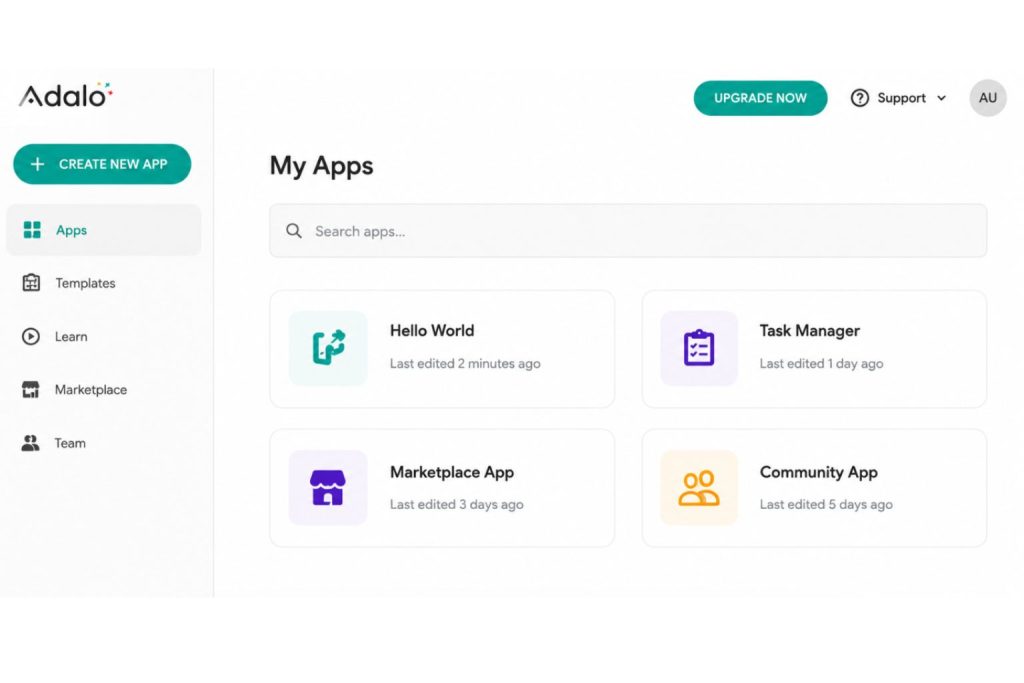
Adalo is a no-code application builder that allows users to create mobile and web applications visually.
Instead of writing code, users build apps using a drag-and-drop interface.
The platform combines:
- Visual app builder
- Database management
- User authentication
- Workflows and actions
- Native mobile publishing
- Integrations and custom actions
Today, thousands of startups and small businesses use Adalo to launch products, validate ideas, and automate internal operations.
Who Should Use Adalo?
Adalo is an excellent choice for:
✔ Entrepreneurs
✔ Startup founders
✔ Agencies
✔ Coaches and consultants
✔ Marketplace businesses
✔ Internal business tools
✔ Non-technical creators
Popular App Types Built With Adalo
- Marketplace apps
- Booking apps
- Community apps
- Delivery apps
- Membership apps
- Internal company tools
- Educational platforms
Who Should NOT Use Adalo?
You may want to consider alternatives if you need:
✘ Enterprise-grade applications
✘ Complex SaaS products
✘ Highly customized backend systems
✘ Advanced logic and workflows
✘ Large-scale applications with millions of users
Ease of Use
⭐ Score: 9.5/10
Ease of use is where Adalo truly shines.
Compared with competitors like Bubble or FlutterFlow, Adalo has one of the shortest learning curves in the no-code industry.
The editor is intuitive and visually clean.
Most beginners can create a working prototype in just a few hours.
Even users without technical backgrounds can quickly understand:
- Screens
- Components
- Actions
- Collections
- User flows
If you’re completely new to no-code, Adalo is one of the safest platforms to start with.
Features
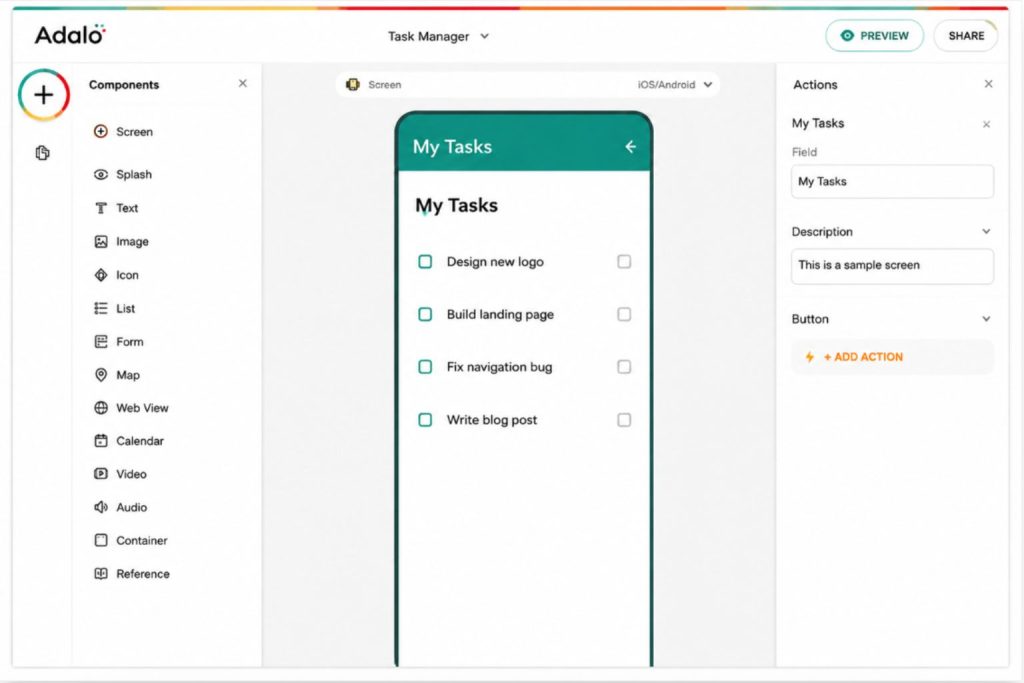
1. Drag-and-Drop Builder
The visual editor allows users to create app interfaces simply by dragging components onto the screen.
Components include:
- Buttons
- Forms
- Lists
- Images
- Videos
- Maps
- Charts
- Payment modules
The experience feels very similar to designing in Canva or PowerPoint.
2. Native Mobile Apps
Unlike many competitors, Adalo allows users to publish true native mobile applications.
You can publish directly to:
- Apple App Store
- Google Play Store
This is one of Adalo’s biggest competitive advantages.
3. Built-In Database
Adalo includes a relational database system.
Users can create custom collections for:
- Users
- Products
- Orders
- Messages
- Reviews
- App content
For most startups, the built-in database is more than sufficient.
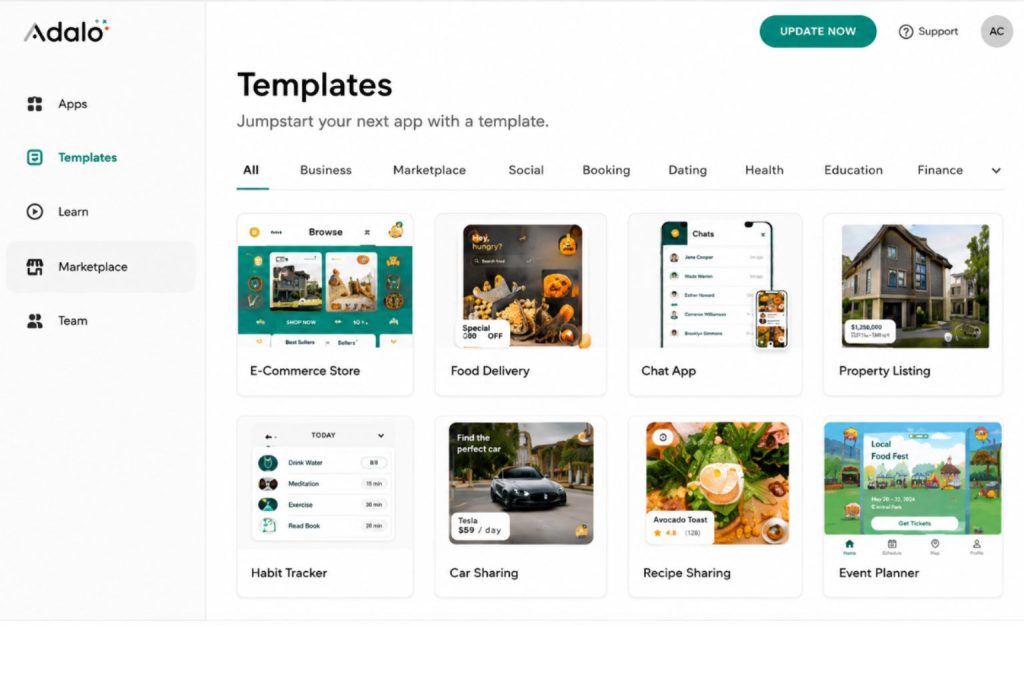
4. Templates Marketplace
Adalo offers dozens of professionally designed templates.
Popular categories include:
- E-commerce
- Food delivery
- Social networking
- Booking systems
- Real estate
- Fitness
- Education
Templates can significantly reduce development time.
5. Integrations
Adalo supports integrations with popular services including:
- Stripe
- Zapier
- Airtable
- Google Sheets
- Make (Integromat)
- Xano
Developers can also extend functionality using custom actions.
Adalo Pricing
⭐ Score: 9/10
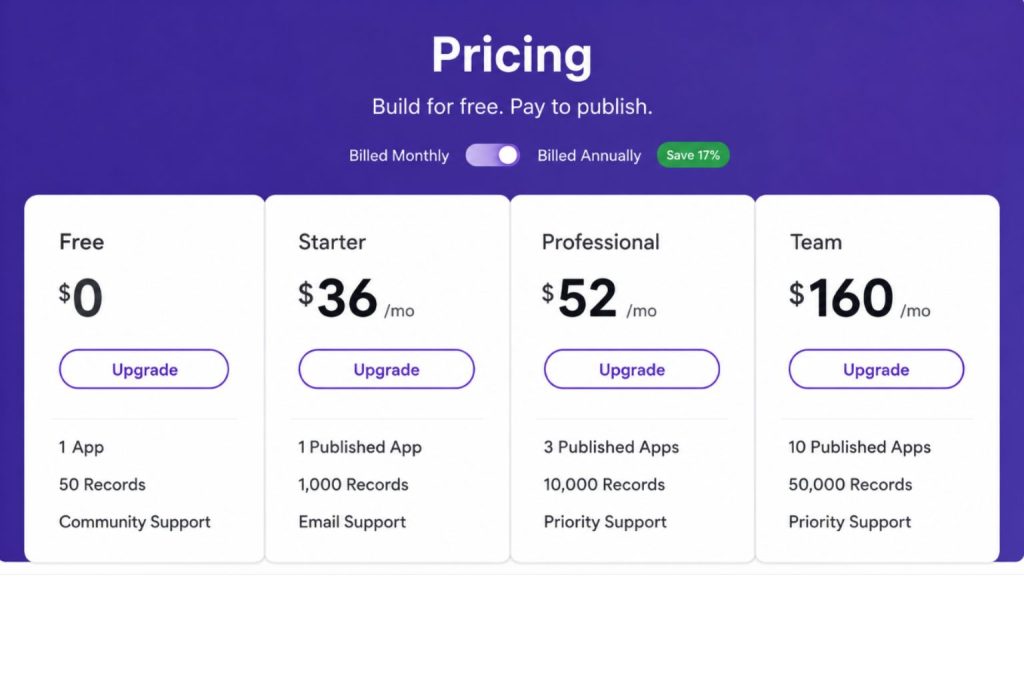
Adalo offers both free and paid plans.
Free Plan
Ideal for learning and testing.
Paid Plans
Paid plans unlock:
- Custom domains
- App publishing
- Increased records
- Additional app actions
- Premium support
For startups and entrepreneurs, Adalo remains competitively priced compared to hiring developers.
Like What You See?
Explore Adalo’s drag-and-drop builder and launch your app today.
Adalo Performance
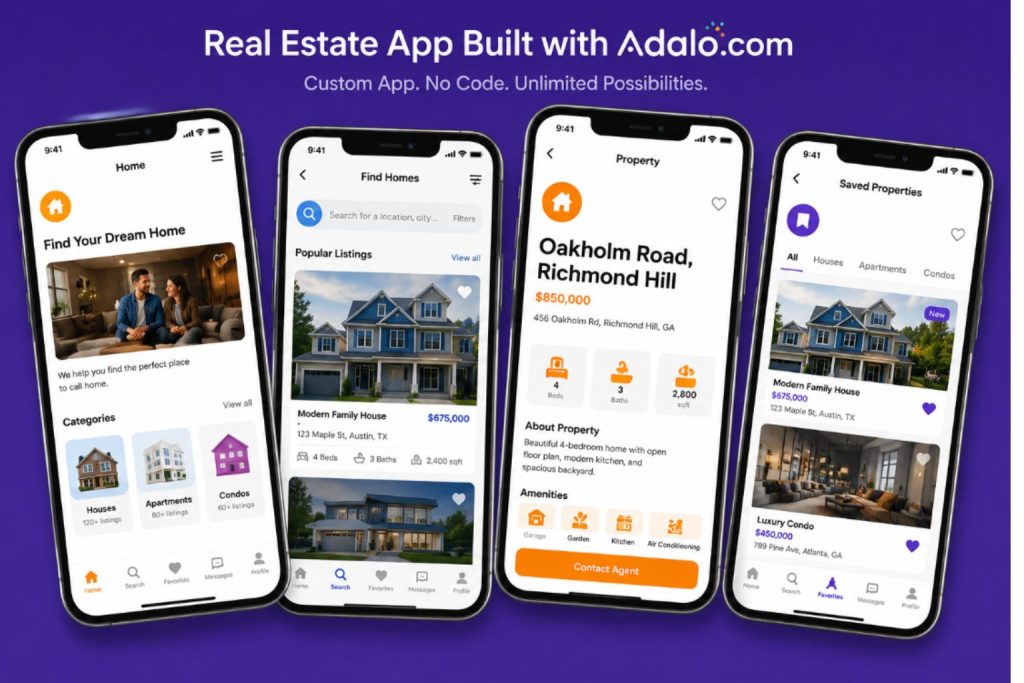
Performance is generally excellent for small and medium-sized applications.
Apps load quickly and feel responsive.
However, users building very large applications may occasionally experience slower performance.
For MVPs, marketplaces, and internal tools, performance should not be a major concern.
⭐ Score: 8.5/10
Adalo vs Bubble
| Feature | Adalo | Bubble |
|---|---|---|
| Native Apps | ✅ | Limited |
| Ease of Use | ⭐⭐⭐⭐⭐ | ⭐⭐⭐ |
| Learning Curve | Low | High |
| Best For | Beginners | Advanced Users |
| Starting Price | $36/mo | $32/mo |
Choose Adalo if:
- You want fast results.
- You have no coding experience.
- You primarily need mobile apps.
Choose Bubble if:
- You need advanced workflows.
- You want maximum flexibility.
- You’re building a complex SaaS product.
Real User Feedback
After reviewing hundreds of user discussions and reviews, the general consensus is clear:
Most users love Adalo because it dramatically reduces the time and cost required to launch an app.
Common praise includes:
- Easy onboarding.
- Fast development.
- Great for founders.
- Excellent MVP platform.
The most common complaints involve:
- Scalability limitations.
- Advanced customization restrictions.
Is Adalo Worth It?
Yes—especially for beginners.
Adalo continues to be one of the best no-code platforms available in 2026.
If you’re an entrepreneur, startup founder, or business owner looking to launch an app quickly without coding, Adalo deserves serious consideration.
While advanced builders may eventually outgrow the platform, most users will find Adalo more than capable of bringing their ideas to life.
Final Score
| Category | Score |
| Ease of Use | 9.5 |
| Features | 9.0 |
| Pricing | 9.0 |
| Performance | 8.5 |
| Support | 8.5 |
| Overall | 9.1/10 |
🚀 Ready to Build Your First Mobile App?
Adalo remains one of the easiest no-code platforms available in 2026.
✓ No coding required
✓ Build iOS & Android apps
✓ Start for free

Adalo offers one of the easiest ways to turn an idea into a real mobile app.

- Is Adalo free?
- Is Adalo good for beginners?
- Can Adalo build native mobile apps?
- Is Adalo better than Bubble?
- What are the disadvantages of Adalo?
👉 Start building with Adalo today and launch your app faster than ever.
You May Also Like


